

.ZIP PASSWORD IS BLACKSPIGOT.COM , YOU MUST ENTER PASSWORD TO EXTRACT FILE
Password is CAP SENSITIVE and cannot be typed lowercase, Enter 'BLACKSPIGOT.COM' with uppercase letters!
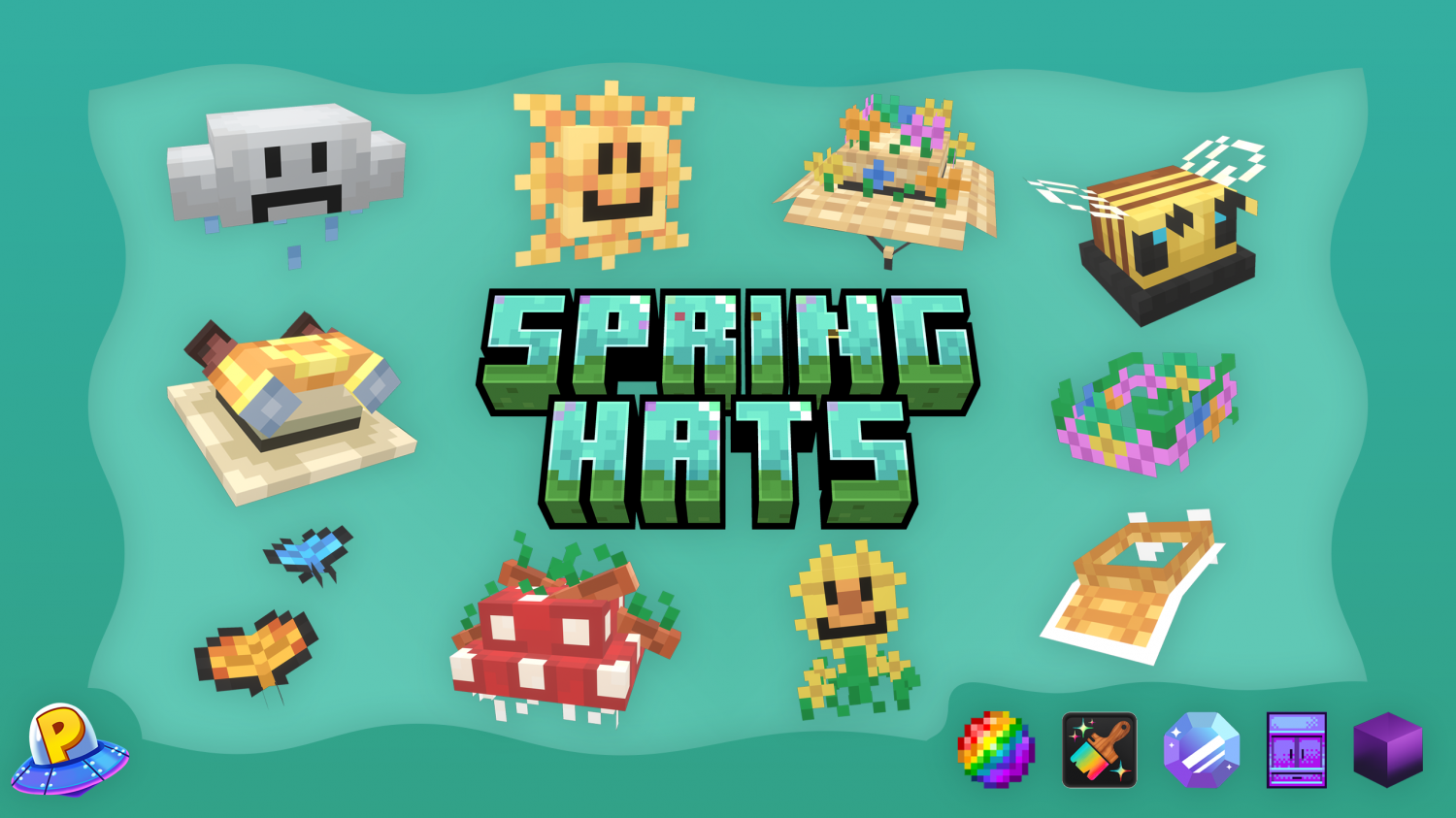
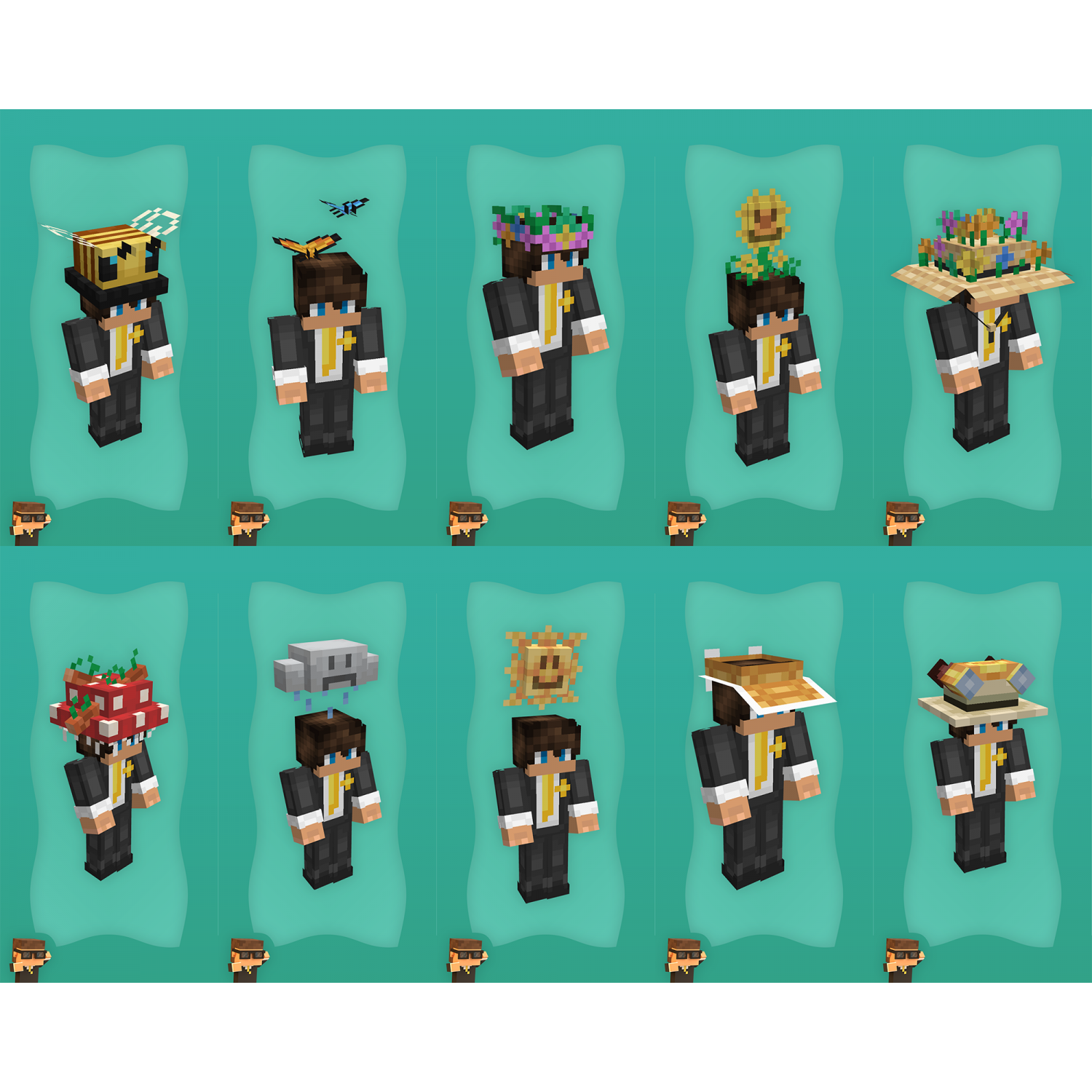
Hats Included in Resource:
Configurations Included in Resource:
Any merging of server resource packs is expected to be done by you. If you contact me to merge your servers resource pack with this one, it will cost extra.
Installation Instructions:
Oraxen: Drag the "Oraxen" folder into your /plugins directory. This file and the existing file will merge together automatically.
ItemsAdder: Drag the "ItemsAdder" folder into your /plugins directory. This file and the existing file will merge together automatically.
CosmeticsCore (ItemsAdder): Drag & Drop the CosmeticsCore folder found in the CosmeticsCore (ItemsAdder) folder into the plugins directory, and the file will merge together with the existing CosmeticsCore folder.
CosmeticsCore (ResourcePack):
Drag & Drop the CosmeticsCore folder found in the CosmeticsCore (ResourcePack) folder into the plugins directory, and the file will merge together with the existing CosmeticsCore folder.
Upload the springhats.zip folder via your desired resource pack hosting method.
MagicCosmetics:
Drag & Drop the MagicCosmetics folder found in the appropriate MagicCosmetics folder into the plugins directory, and the file will merge together with the existing MagicCosmetics folder.
Upload the default resource pack via your desired resource pack hosting method.
HMCCosmetics:
Drag & Drop the HMCCosmetics folder found in the appropriate HMCCosmetics folder into the plugins directory, and the file will merge together with the existing HMCCosmetics folder.
Upload the default resource pack via your desired resource pack hosting method.
Password is CAP SENSITIVE and cannot be typed lowercase, Enter 'BLACKSPIGOT.COM' with uppercase letters!
Hats Included in Resource:
- Sun Hat
- Bumble Bee Hat
- Flower Crown Hat
- Sun Visor Hat
- Flower Hat
- Mushroom Hat
- Butterfly Hat
- Adventure Hat
- Raining Cloud Hat
- Garden Hat
Configurations Included in Resource:
- ItemsAdder [Drag & Drop]
- Oraxen [Drag & Drop]
- CosmeticsCore [Drag & Drop]
- MagicCosmetics [Drag & Drop]
- HMCCosmetics [Drag & Drop]
- Resource Pack
- .bbmodel Files
- Raw Files
- README.txt
Any merging of server resource packs is expected to be done by you. If you contact me to merge your servers resource pack with this one, it will cost extra.
Installation Instructions:
Oraxen: Drag the "Oraxen" folder into your /plugins directory. This file and the existing file will merge together automatically.
ItemsAdder: Drag the "ItemsAdder" folder into your /plugins directory. This file and the existing file will merge together automatically.
CosmeticsCore (ItemsAdder): Drag & Drop the CosmeticsCore folder found in the CosmeticsCore (ItemsAdder) folder into the plugins directory, and the file will merge together with the existing CosmeticsCore folder.
CosmeticsCore (ResourcePack):
Drag & Drop the CosmeticsCore folder found in the CosmeticsCore (ResourcePack) folder into the plugins directory, and the file will merge together with the existing CosmeticsCore folder.
Upload the springhats.zip folder via your desired resource pack hosting method.
MagicCosmetics:
Drag & Drop the MagicCosmetics folder found in the appropriate MagicCosmetics folder into the plugins directory, and the file will merge together with the existing MagicCosmetics folder.
Upload the default resource pack via your desired resource pack hosting method.
HMCCosmetics:
Drag & Drop the HMCCosmetics folder found in the appropriate HMCCosmetics folder into the plugins directory, and the file will merge together with the existing HMCCosmetics folder.
Upload the default resource pack via your desired resource pack hosting method.


![DrawOnMap ⭐️ Drawing plugin with many tools ⭐️ ArtMap [1.16 - 26.1]](/data/resource_icons/22/22097.jpg?1789614679)